
Top 10 eBook Organizers for Mac
December 02, 2025 | Editor: Maria Lin
eBook Organizers for Mac allow to manage electronic libraries on Mac OSX desktops and laptops
1


Calibre is a free, open-source program (written in Python) for managing e-book libraries on Windows, Mac and Linux. It offers the most rich set of features, divided into the following main categories: library management, e-book conversion, synchronization with e-readers, downloading news from the internet and converting them to e-book formats, e-book viewer-reader, e-book editor and a content server for web access to your book collection. The program reorganizes book files into own structure. There are numerous plugins developed for the program by the community. However, many find the interface cluttered and unwieldy.
2


Organize your book collection in no time at all. Download full book details and cover art. Just enter ISBNs or scan barcodes. Browse your book database in cover flow. Sort lists any way you want. Find books quickly and easily.Organize your book database and wish list. Never buy dupes again.
3

Unique and innovative library management, inventory and database solutions for collectors, booksellers, schools, churches, libraries, and other organizations all over the world. Lets you feed in a list of ISBNs, UPCs or barcode scans. Readerware then does the rest, automatically searching the web and cataloging your books, music and videos. Readerware can merge information from multiple web sites to build the most complete database possible, with cover art. Automatically and effortlessly.
4

Free and open source comics/mangas media server. Allows to organize your CBZ, CBR, PDF and EPUB files in different libraries, collections or reading lists; use the integrated Webreader, the Mihon extension, any OPDS reader, or other integrations.
5

Adobe Digital Editions software offers an engaging way to view and manage eBooks and other digital publications. Use it to download and purchase digital content, which can be read both online and offline. Transfer copy-protected eBooks from your personal computer to other computers or devices. Organize your eBooks into a custom library and annotate pages. Digital Editions also supports industry-standard eBook formats, including PDF/A and EPUB.
6

Lucidor is a simple tool for reading, managing and organizing your eBooks within your own personal bookcase. It supports ePub and OPDS catalog files. You can search for eBooks online and download them right into the application. A unique feature Lucidor has is the ability to have multiple eBooks open at one time. It does this via it’s tabbed interface, which is much like a Web browser. Lucidor even supports themes. There is also a search bar for finding specific keywords or phrases within your content.
7

BookONO is a free e-book manager and reader (PDFs and EPubs fully supported) designed as a compliment to Calibre. It is written in C++ using the Qt5 Toolkit. It is different from Calibre in that it makes a few different design decisions than Calibre, for instance it does not attempt to put all your books in its own library or change their names. Where Calibre attempts to take complete control over your books, BookONO gives you control over your books. BookONO further attempts to take a different direction in terms of its UI, providing a more user-friendly, aesthetically-pleasing experience than Calibre.
8
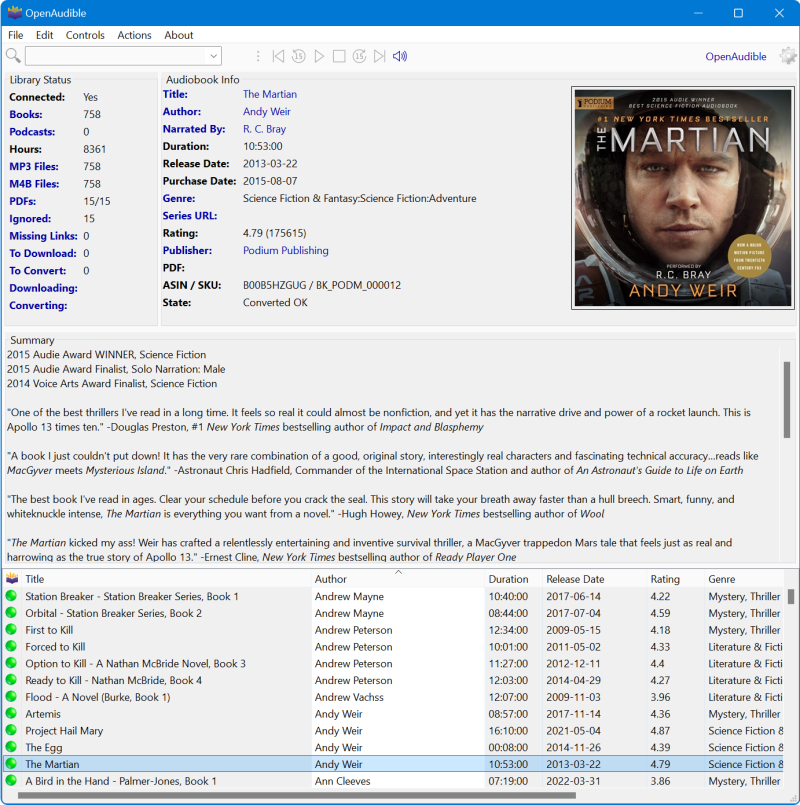
OpenAudible is a cross-platform audiobook manager designed for Audible users. Manage/Download all your audiobooks with this easy-to-use desktop application. Lightning fast conversion to MP3 and M4B audio formats. Access all Audible audiobooks across Mac, Windows, and Linux.
9

Ubooquity allows to organize and read your ebooks and comics on your favorite device, supports many types of files, with a preference for ePUB, CBZ, CBR and PDF files. Ubooquity can be installed on any OS supporting Java (Windows, Linux, Mac OS...) and on a wide range of hardware (desktop computer, server, NAS...). Ubooquity lets you create user accounts and set access rights for each shared folder.
10

eBook Manager is a fast and easy to use application for organizing e-books on your computer and for transferring them from and to your Kindle e-readers. It understands .mobi, .azw and .azw3 file formats and extracts and shows book metadata like author, title, description, publisher, language, comment and cover image. Books can be organized to collections in the library stored on your computer (but this information is not transferred to the reader).
11

YACReader is a comic reader and comic manager with support for cbr cbz zip rar comic files. It is available for Windows, Linux, Mac OS X.
12

LazyLibrarian is a free open-source Linux / Mac OS program for ebooks, audiobooks and magazines that allows to follow authors and retrieve book metadata. It uses a combination of Goodreads Librarything HardCover OpenLibrary and GoogleBooks as sources for author info and book info.
13

A free and open source manga reading server that runs extensions built for Mihon (Tachiyomi). Any platform that runs java and/or has a modern browser can run it. This includes Windows, Linux, macOS, chrome OS, etc.
14

Kapowarr is a software to build and manage a comic book library, fitting in the *arr suite of software. You can add volumes, map them to a folder and start managing. Allows to download, rename, move and convert issues of the volume (including TPB's, One Shots, Hard Covers and more). Installing Kapowarr can be done via Docker or on top of Python.
15
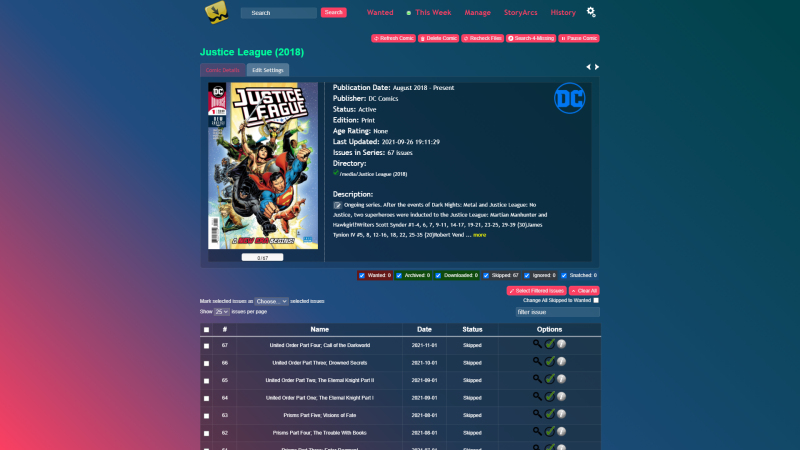
Mylar allows to download comic issues from newsgroups, torrents or direct download links, organize existing collection and handle everything from renaming to metatagging. As it downloads items, it will organize things into your existing collection automatically.