 |
reMarkable alternatives
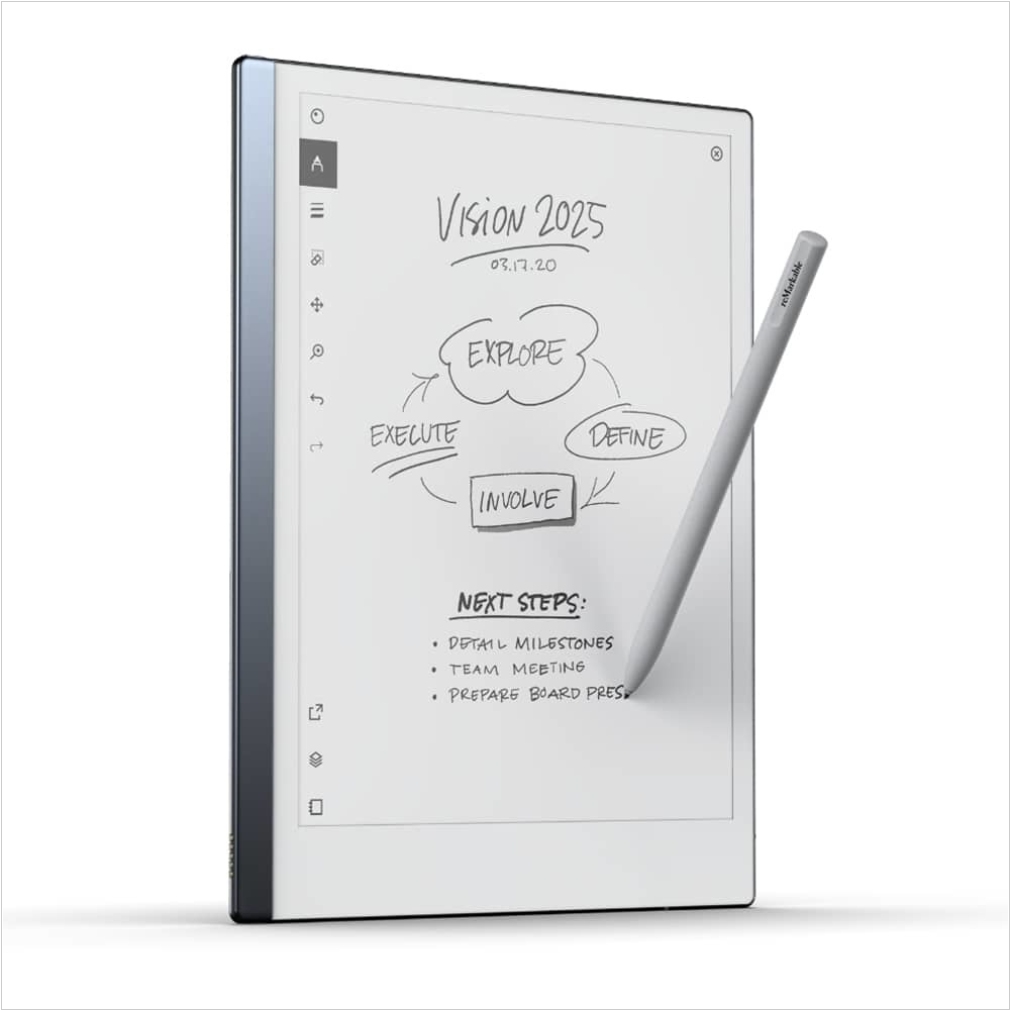
The only tablet that feels like paper. Take handwritten notes, read, and review documents, take notes directly on PDFs. Paper-like writing and reading. All your notes, organized and accessible on all devices
The best reMarkable alternatives are: Kobo Sage, Supernote, ONYX BOOX Note, Kobo Elipsa, Kindle Paperwhite, PocketBook InkPad, ONYX BOOX MAX
Here are the latest news about reMarkable:
2023. reMarkable powers up its e-paper tablet with a keyboard case for distraction-free writing
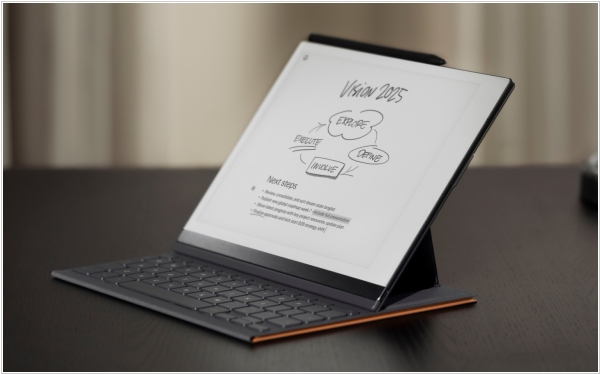
The reMarkable 2 tablet is highly suitable for reading extensive documents, annotating them, taking notes, and sketching. However, it wasn't originally ideal for extensive writing tasks. That changed when they introduced a remarkable keyboard folio, which effectively transforms the tablet into a minimalist yet compelling writing station, albeit at a slightly higher price point. The new folio case features a leather or leather-like exterior and functions as a regular cover for note-taking or portrait reading. When the cover is flipped off, the tablet can be placed on a surface by holding a couple of tabs, allowing the screen to detach from the keys beneath. The case can be folded up and secured with magnets, enabling comfortable typing.
2022. Remarkable makes paid features free

Remarkable has recently made a significant change to its paid subscription system, offering previously paid features to all users for free. This decision comes in response to negative feedback from their user community, accusing the company of overpricing. Despite this controversy, the Remarkable 2 remains one of the top e-notes available, with high-quality accessories. Notably, features like Google Drive, Dropbox, OneDrive integration, handwriting conversion, send by email, and Screen Share, previously exclusive to Connect subscribers, are now accessible to all Remarkable users. Remarkable is revamping its subscription structure, merging its two plans into a single plan named Connect, priced at $2.99 per month instead of the previous $8 per month.
2021. Remarkable Update Improves eBook Layout and Adds Pinch Zooming (Video)
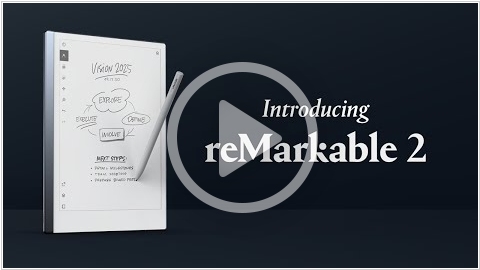
A new software update (2.6) has been launched for the Remarkable paper tablet, introducing the long-awaited pinch zooming functionality. This feature allows users to zoom in on PDFs, ePubs, and note documents. Once zoomed in, two fingers can be used to pan across the page, enabling writing and utilization of the selection tool while in zoom mode. Additionally, the tablet now supports hyperlinks within PDFs, allowing users to navigate embedded links. Furthermore, a link to return to the previous location has been included, although it unfortunately disappears after a few seconds. The 2.6 update also brings improvements to eBook formatting for ePub files, with text now being justified by default (although the option for left justification still remains), and more consistent margins. Notably, book covers have also been enhanced.
2020. reMarkable 2 - the world’s thinnest e-Ink tablet

Norwegian brand reMarkable has unveiled its latest advancement in note-taking and document review, introducing the reMarkable 2 paper tablet. Building upon the success of its predecessor, which achieved remarkable pre-order numbers upon its initial release in 2017, the reMarkable 2 is now open for pre-orders on reMarkable.com at a price of $399. Boasting a thickness of only 0.19 inches (4.7 mm), the reMarkable 2 claims the title of the world's thinnest tablet. Equipped with an impressive battery life of several weeks, it features a groundbreaking second-generation CANVAS display that incorporates E Ink technology, providing users with an unparalleled digital experience that closely emulates the feel of traditional paper. The reMarkable 2 offers a range of functionalities, including the ability to convert handwritten notes into text, as well as options for organizing, sharing, annotating, and searching documents. Additionally, reMarkable's cloud service enables convenient access to content through companion apps available on both desktop and mobile platforms. With its comprehensive feature set, the reMarkable 2 caters to individuals who prefer handwriting but desire the flexibility of integrating their work into digital workflows.
2023. reMarkable powers up its e-paper tablet with a keyboard case for distraction-free writing
The reMarkable 2 tablet is highly suitable for reading extensive documents, annotating them, taking notes, and sketching. However, it wasn't originally ideal for extensive writing tasks. That changed when they introduced a remarkable keyboard folio, which effectively transforms the tablet into a minimalist yet compelling writing station, albeit at a slightly higher price point. The new folio case features a leather or leather-like exterior and functions as a regular cover for note-taking or portrait reading. When the cover is flipped off, the tablet can be placed on a surface by holding a couple of tabs, allowing the screen to detach from the keys beneath. The case can be folded up and secured with magnets, enabling comfortable typing.
2022. Remarkable makes paid features free
Remarkable has recently made a significant change to its paid subscription system, offering previously paid features to all users for free. This decision comes in response to negative feedback from their user community, accusing the company of overpricing. Despite this controversy, the Remarkable 2 remains one of the top e-notes available, with high-quality accessories. Notably, features like Google Drive, Dropbox, OneDrive integration, handwriting conversion, send by email, and Screen Share, previously exclusive to Connect subscribers, are now accessible to all Remarkable users. Remarkable is revamping its subscription structure, merging its two plans into a single plan named Connect, priced at $2.99 per month instead of the previous $8 per month.
2021. Remarkable Update Improves eBook Layout and Adds Pinch Zooming (Video)
A new software update (2.6) has been launched for the Remarkable paper tablet, introducing the long-awaited pinch zooming functionality. This feature allows users to zoom in on PDFs, ePubs, and note documents. Once zoomed in, two fingers can be used to pan across the page, enabling writing and utilization of the selection tool while in zoom mode. Additionally, the tablet now supports hyperlinks within PDFs, allowing users to navigate embedded links. Furthermore, a link to return to the previous location has been included, although it unfortunately disappears after a few seconds. The 2.6 update also brings improvements to eBook formatting for ePub files, with text now being justified by default (although the option for left justification still remains), and more consistent margins. Notably, book covers have also been enhanced.
2020. reMarkable 2 - the world’s thinnest e-Ink tablet
Norwegian brand reMarkable has unveiled its latest advancement in note-taking and document review, introducing the reMarkable 2 paper tablet. Building upon the success of its predecessor, which achieved remarkable pre-order numbers upon its initial release in 2017, the reMarkable 2 is now open for pre-orders on reMarkable.com at a price of $399. Boasting a thickness of only 0.19 inches (4.7 mm), the reMarkable 2 claims the title of the world's thinnest tablet. Equipped with an impressive battery life of several weeks, it features a groundbreaking second-generation CANVAS display that incorporates E Ink technology, providing users with an unparalleled digital experience that closely emulates the feel of traditional paper. The reMarkable 2 offers a range of functionalities, including the ability to convert handwritten notes into text, as well as options for organizing, sharing, annotating, and searching documents. Additionally, reMarkable's cloud service enables convenient access to content through companion apps available on both desktop and mobile platforms. With its comprehensive feature set, the reMarkable 2 caters to individuals who prefer handwriting but desire the flexibility of integrating their work into digital workflows.
Add comment