 |
Top 10: Ebook Creation software
July 30, 2023 | Author: Laura Candler
Ebook creation software is a powerful and versatile tool that empowers authors, publishers, and content creators to bring their literary visions to life in the form of digital books. These feature-rich applications provide a comprehensive platform for writing, formatting, and designing ebooks, offering a range of tools for text editing, layout customization, and multimedia integration. With support for popular ebook formats like EPUB, MOBI, and PDF, ebook creation software ensures compatibility across various e-readers and devices, reaching a wide audience of readers. Whether it's fiction novels, non-fiction works, or interactive educational materials, ebook creation software streamlines the publishing process, enabling users to craft captivating and professionally presented digital publications that captivate readers and enhance the overall reading experience. From aspiring writers to established publishers, ebook creation software has become an indispensable asset, democratizing the process of ebook publishing and allowing creators to share their stories and knowledge with the world.
Some of the most popular free and paid ebook creation software are listed below.
See also: Top 10 Ebook Creation software
Some of the most popular free and paid ebook creation software are listed below.
See also: Top 10 Ebook Creation software
2023. Manuskript now allows to track writing goals
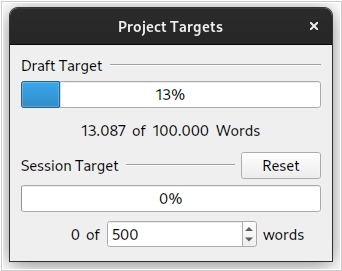
Free open-source writing tool Manuskript has released a new version 0.15 with several new features. Users can now set a writing target for their current session to monitor progress. Additionally, users can drag and drop elements from the outline view in the editor to quickly open the selected item in one writing panel, making it easier to work with multiple panels. The update includes improved translations for the UI, with more languages added to the list of supported ones, and progress tracking available on the Github repository page. The translations are now more consistent, bugs have been fixed, and all translatable strings are included. Moreover, keyboard shortcuts now work independently of the user's language settings, addressing a previous issue caused by improper UI default settings. Manuskript is available for Windows, Mac and Linux.
2022. Sigil adds user templates
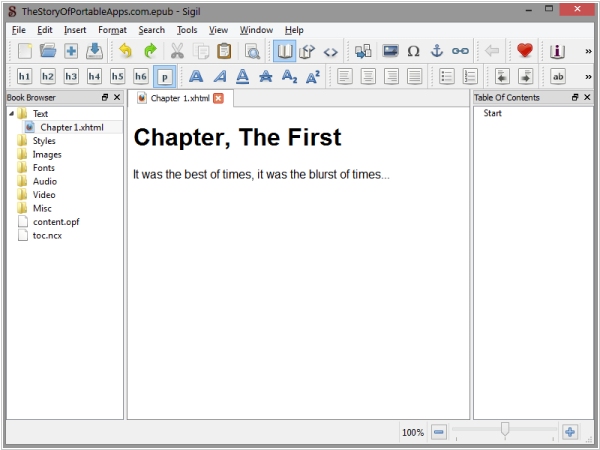
Open-source Ebook Editing software Sigil has released version 1.9.20, which includes several new features. Users can now create new empty xhtml and css files from a user-template.xhtml and user-template.css, and the latest version of MathJax (3.2.2) has been added for mathml support in Preview. Additionally, users can now cycle through two different custom stylesheets (or none at all) for use with Preview, and the FindReplace dialog user interface has been redesigned to minimize size while adding features. Other new features include a FindReplace "Text" only checkbox and support to exclude tags from search, a Toggle Line Wrap Mode and its support added to CodeView via pop-up menu, a Dry Run Replace dialog to act as "Replace All" what if (Shift + Count All), a Replacement filter dialog to allow users to delete unwanted replacements before applying Replace All (Shift + Replace All), and a Counts Report to Saved Searches to show Saved Search Group counts by search.
2021. LivingWriter has introduced the Research Board
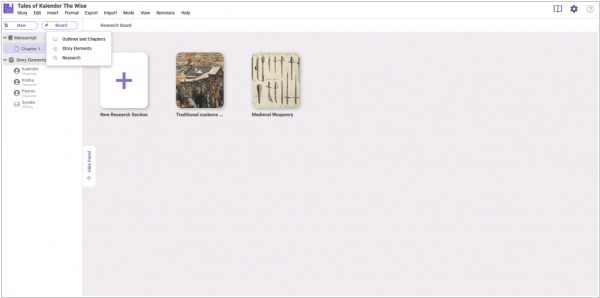
LivingWriter's newest feature, the Research Board, serves as a tool to research important matters related to a story. For instance, it could be used to research cultural characteristics of a particular region, political and economic structures of a feudal society for a medieval fantasy novel, and other related research. The Research Board provides a separate space for writers to work on their research, eliminating the need to use general-purpose features like Story notes or Global notes, or even a separate notebook or app, especially when working on research-intensive projects like a Ph.D. thesis. The Research Board allows writers to add and organize their research neatly within the app.
2019. Dabble enables Co-authoring

Ebook Creation software Dabble now makes it easy to work on a project with one or more authors in real-time. Changes made by any author are automatically synced to the cloud, and all authors working on the project will have access to all of their Dabble features. To add a co-author to your Project, click on the Invite a Co-Author button in the co-authoring settings. A new box will appear below Invitations. Enter the email of the person you would like to add as a co-author and click the Invite button. It’s important to note that the email you use to invite someone must be the email associated with their Dabble account. Co-authors have full access to the features and functionality of their Dabble subscription. Users without a subscription will only be able to view the Project in a read-only mode.
2018. Scrivener for macOS adds Dark mode and Scriptwriting

Scrivener 3.1 is a major update for macOS that introduces a number of new features and enhancements. One notable addition is full support for dark mode on macOS 10.14, which allows you to take full control over colors and UI in each mode. Scrivener 3.1 also offers scriptwriting improvements, such as support for "MORE" and "CONT'D" when compiling for PDF and printing, dual dialogue support, and an option to not split sentences across pages in scripts. Enhancements to Compile include the ability to include a cover image when compiling to PDF, improved options for compiling for print-on-demand services, and direct formatting for Epub 3 and Kindle KF8 formats. Additionally, a new "focus mode" is available to fade out everything except the current line, sentence, or paragraph as you write.
2016. Reedsy launched Google Docs for books
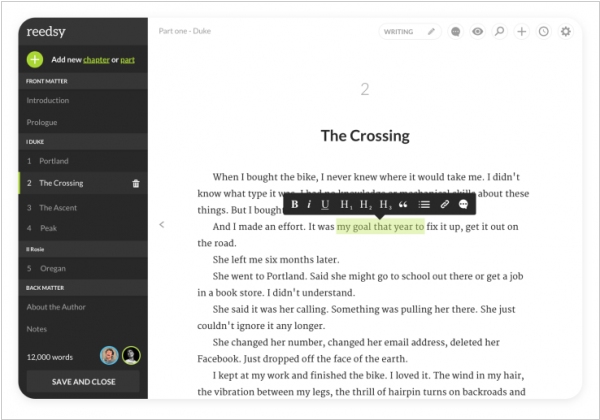
Reedsy, renowned as a marketplace for editors, cover illustrators, and more, has recently introduced a collaborative book editor that facilitates seamless interaction with editors, ultimately leading to the creation of a polished final book. While Reedsy's book editor may not possess the same level of power as Scrivener or Ulysses, its strength lies in its emphasis on collaboration. Think of it as a Google Docs specifically designed for books. With this editor, you can commence your writing process in Scrivener, and then seamlessly transition to Reedsy for the subsequent stages. Operating within your browser, Reedsy's book editor enables writing and editing in real time while automatically saving your progress. Multiple individuals can simultaneously edit the same document, leave comments, and track changes, eliminating the cumbersome back-and-forth process involving Word documents and convoluted file names.